Verify Before You Rely
Looks can deceive. A signature, familiar email address or official-looking PDF is not evidence that the content you received matches what was certified. Check the certification record first.
- Recorded origin: who certified the document or email.
- Exact certified content: the fixed reference to compare with what you received.
- Certification date: when the certification was recorded.
- Current status: whether certification remains valid, has been revoked or has been superseded.
Scan. Check. Compare. Only then decide whether to rely on it.
Verify a Certidox-Certified Document
The original two-page PDF below is a genuine Certidox-certified example. Download it, scan its QR code and compare the certified reference with the document you received. The mobile screenshots are historical examples, not a live status query.
- 1Scan the QR code.
Open the PDF on another screen or print it. Use the Certidox app to scan the code on page one.
- 2Check the result.
Review the recorded certifier, certification date and status. The green screenshot shows VALID at the time it was captured.
- 3View the certified reference and compare.
Select View document and compare the full two-page content with the original or copy you received.
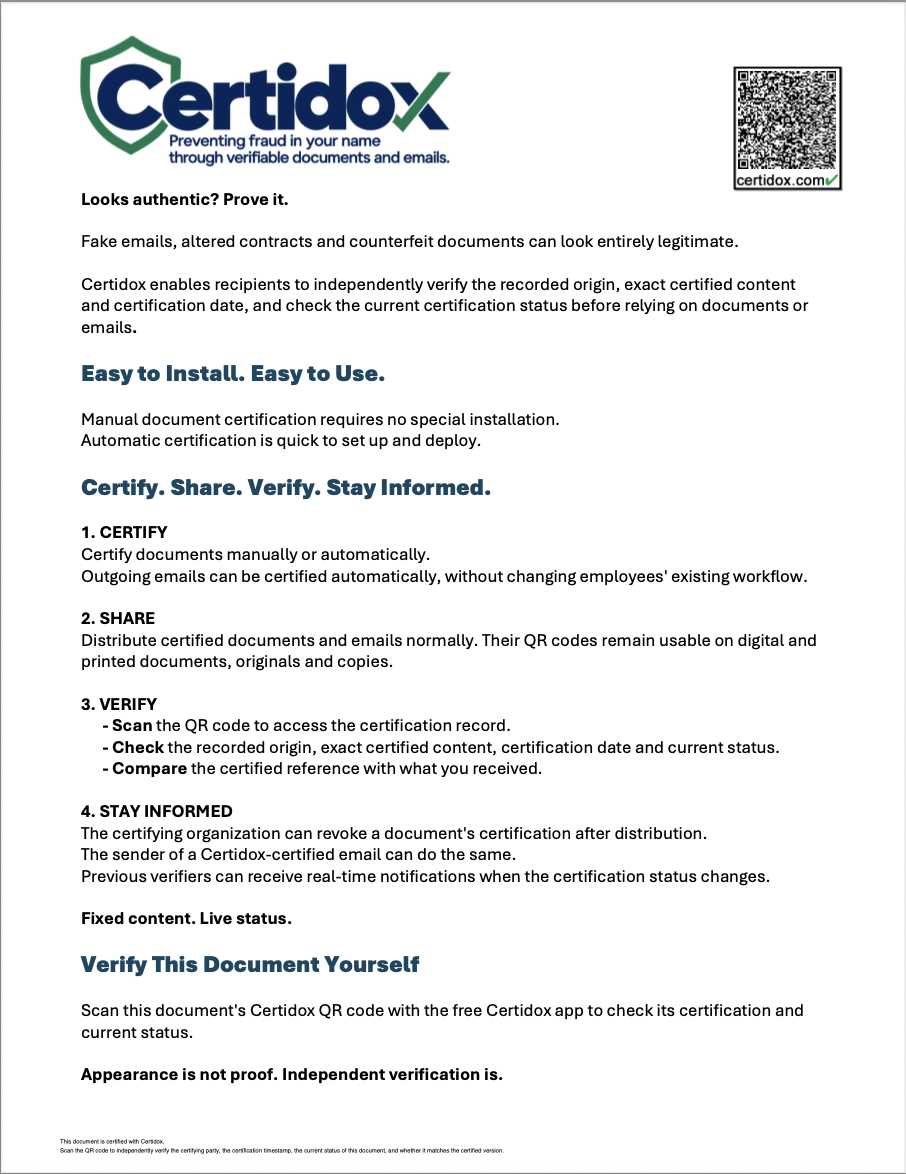
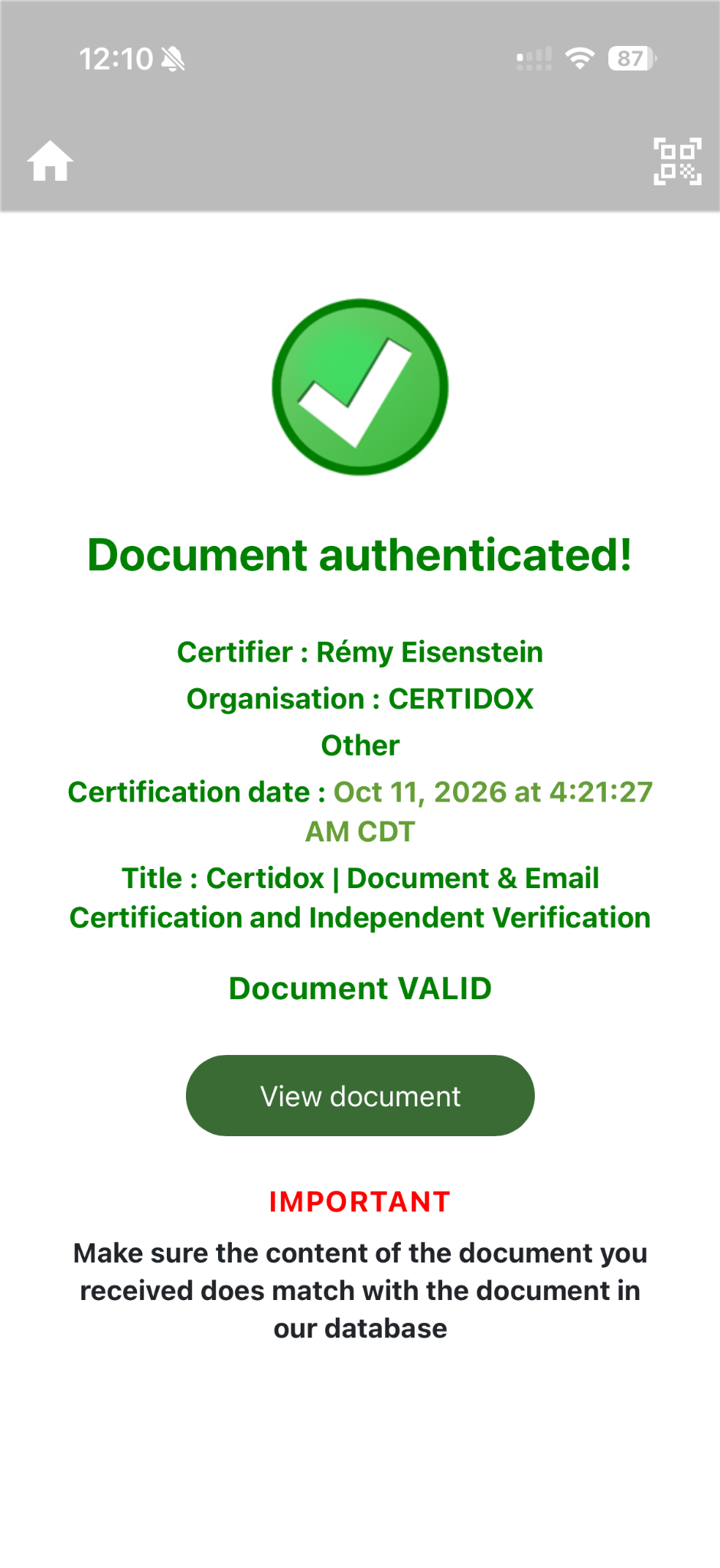
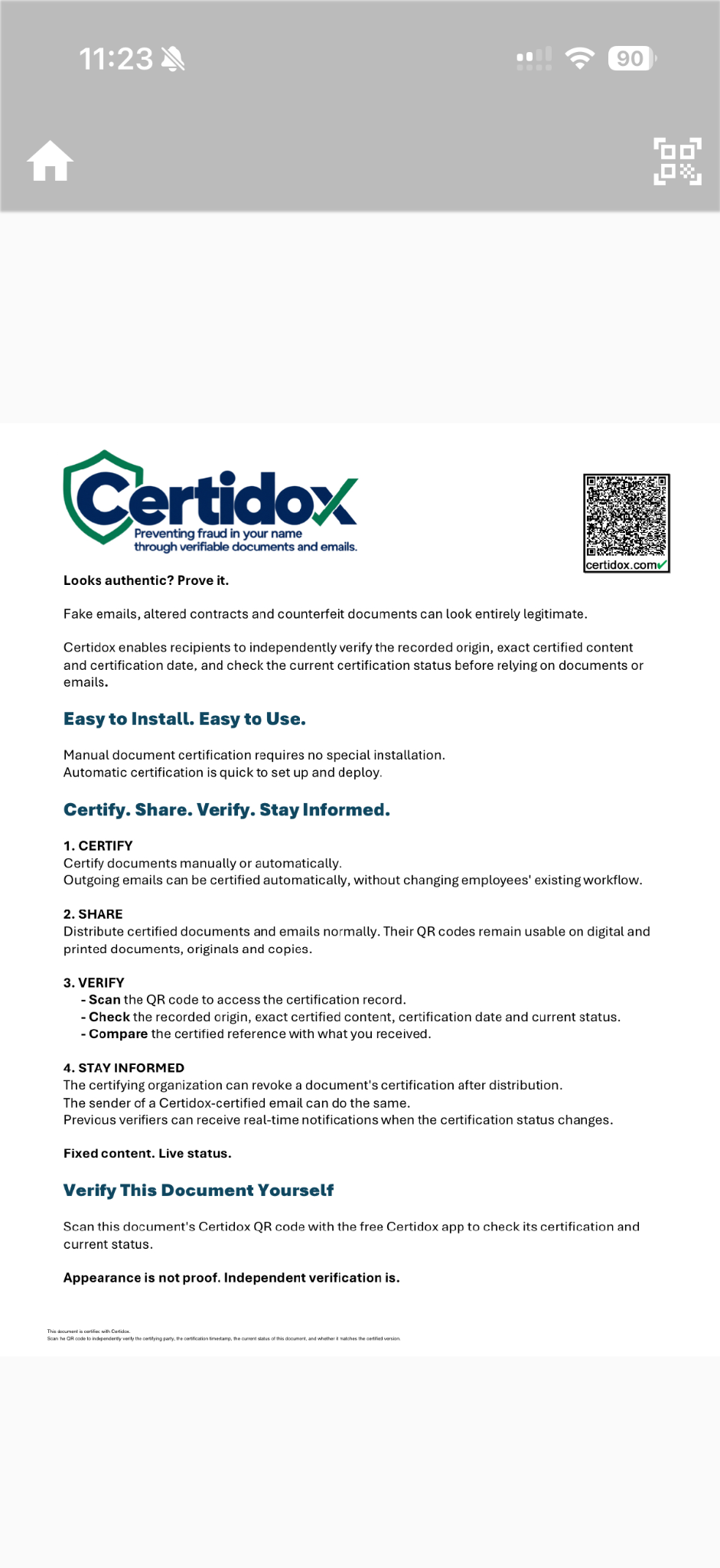
Click or tap any image to enlarge the original capture. The images preserve the genuine QR code and on-screen content without artificial reconstruction.
A PDF's certification status can change. No static image or previously captured screen establishes its status today; check it live before relying on the document.
Verify a Certidox-Certified Email
A certified outgoing email includes a Certidox QR code. The recipient can check the recorded sender and recipient information, subject, certification date and current status, then compare the certified message with the email received.
- 1Scan the email's QR code.
Open the received message in Outlook or another email client. Scan its certification QR code.
- 2Check the certification.
Verify the recorded sender, recipient, subject, certification time and status.
- 3Open the certified message and compare.
Tap View document to examine the recorded fields and certified message body.
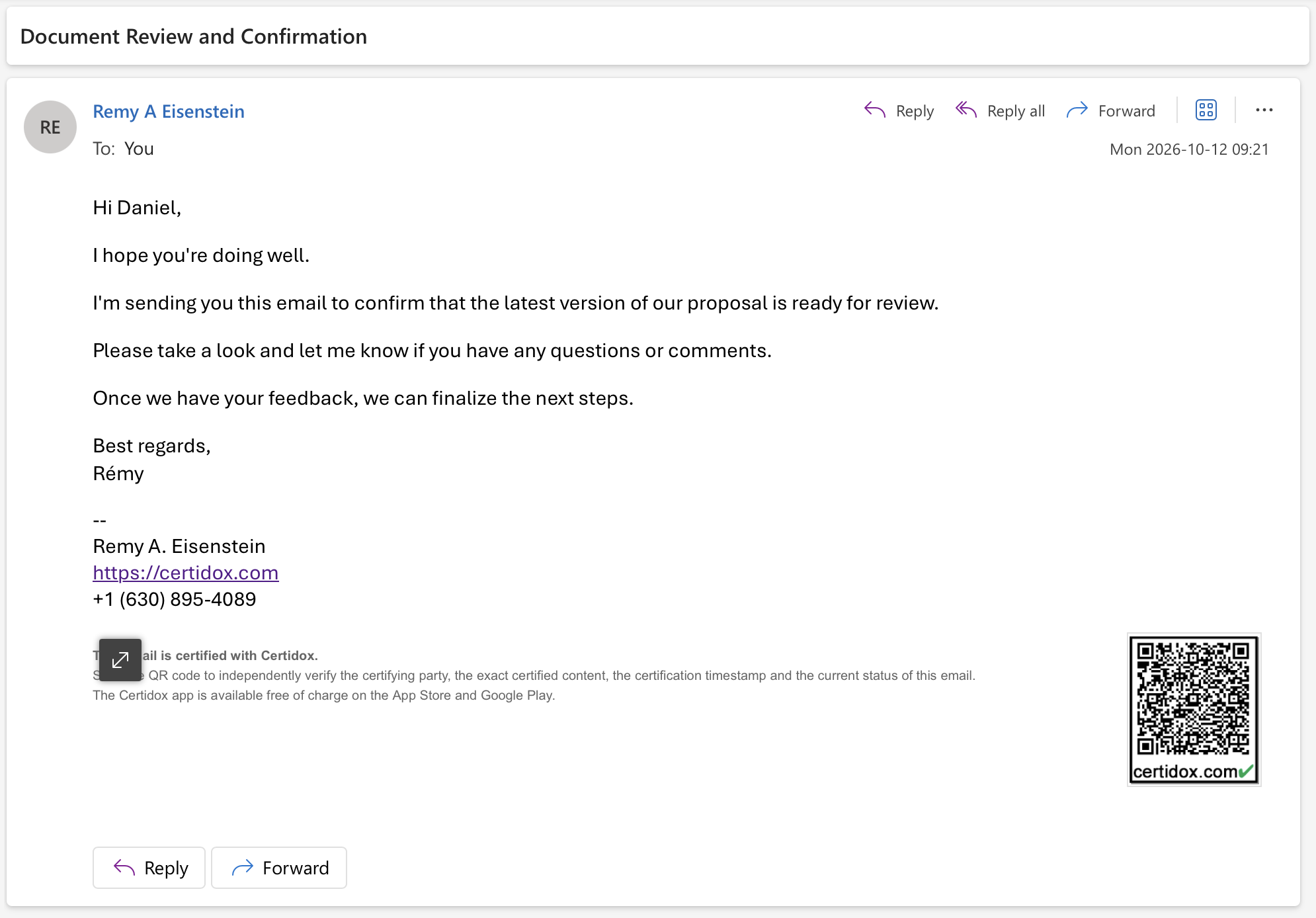
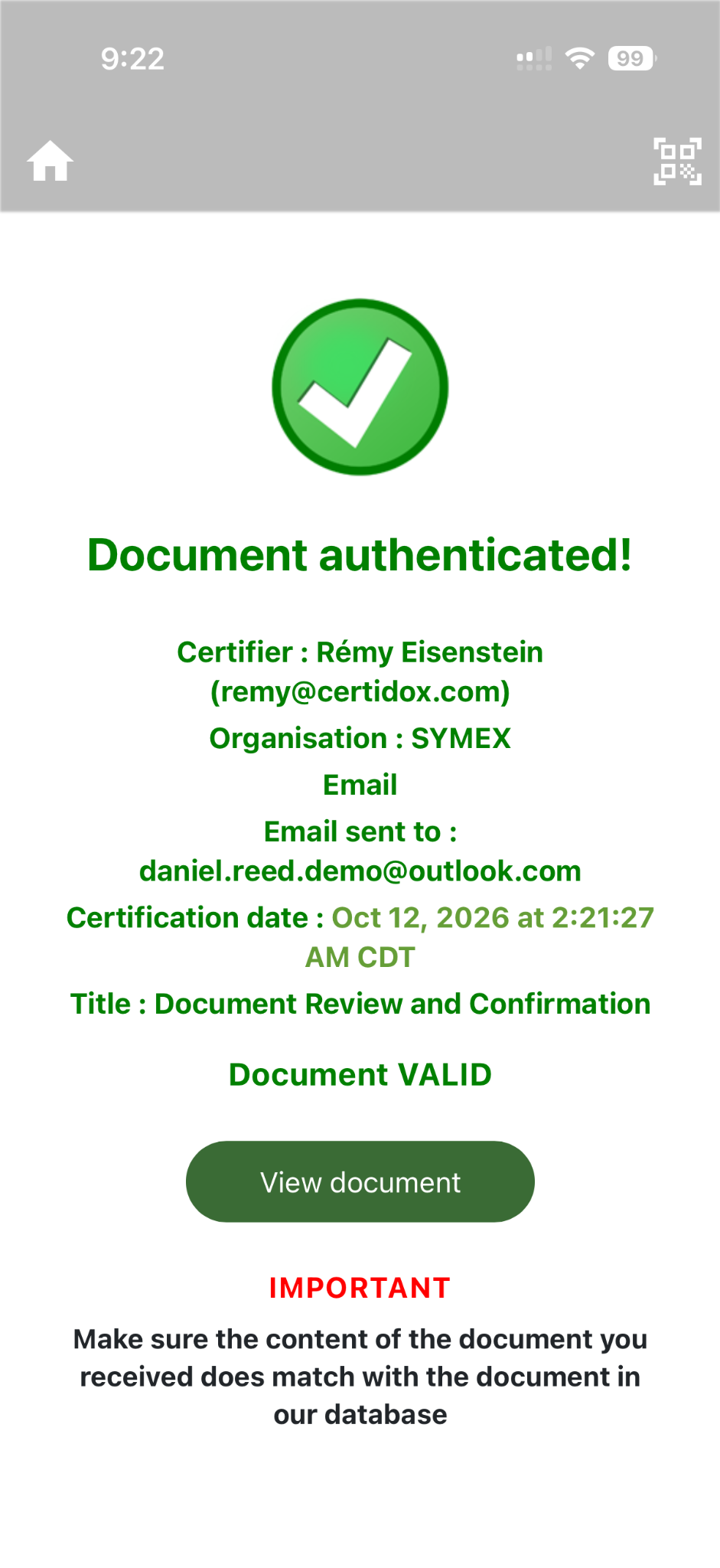
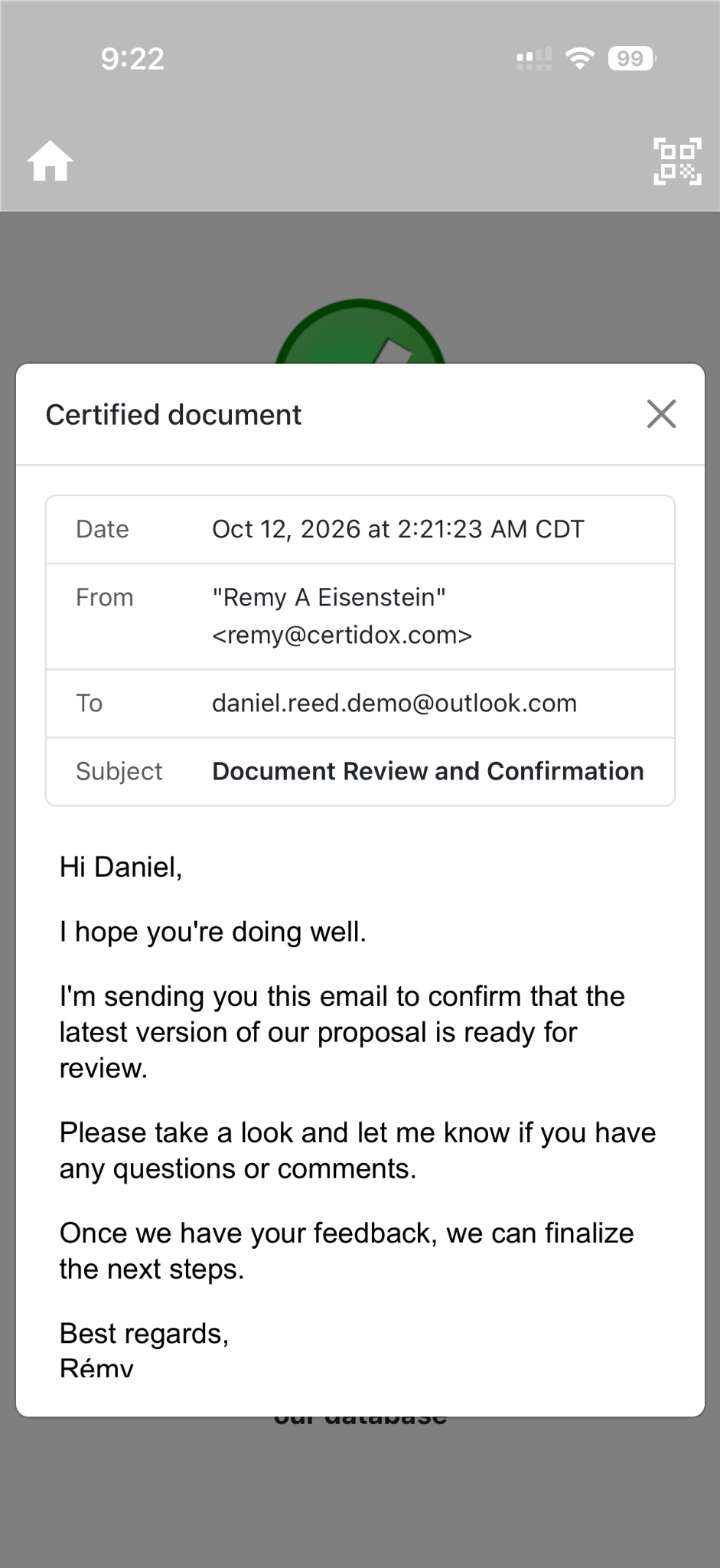
The certified reference is a structured record of message information, not a reconstruction of the original native .eml file or attachment contents. It can include attachment filenames and other available metadata.
Certifying an email does not, by itself, prove delivery, receipt or reading.
Check Changes in Certification Status
The certified content stays fixed. Its certification status can change after distribution. A fresh scan can reveal a revocation or supersession; eligible previous verifiers may receive alerts if the certifying party chooses to send them.
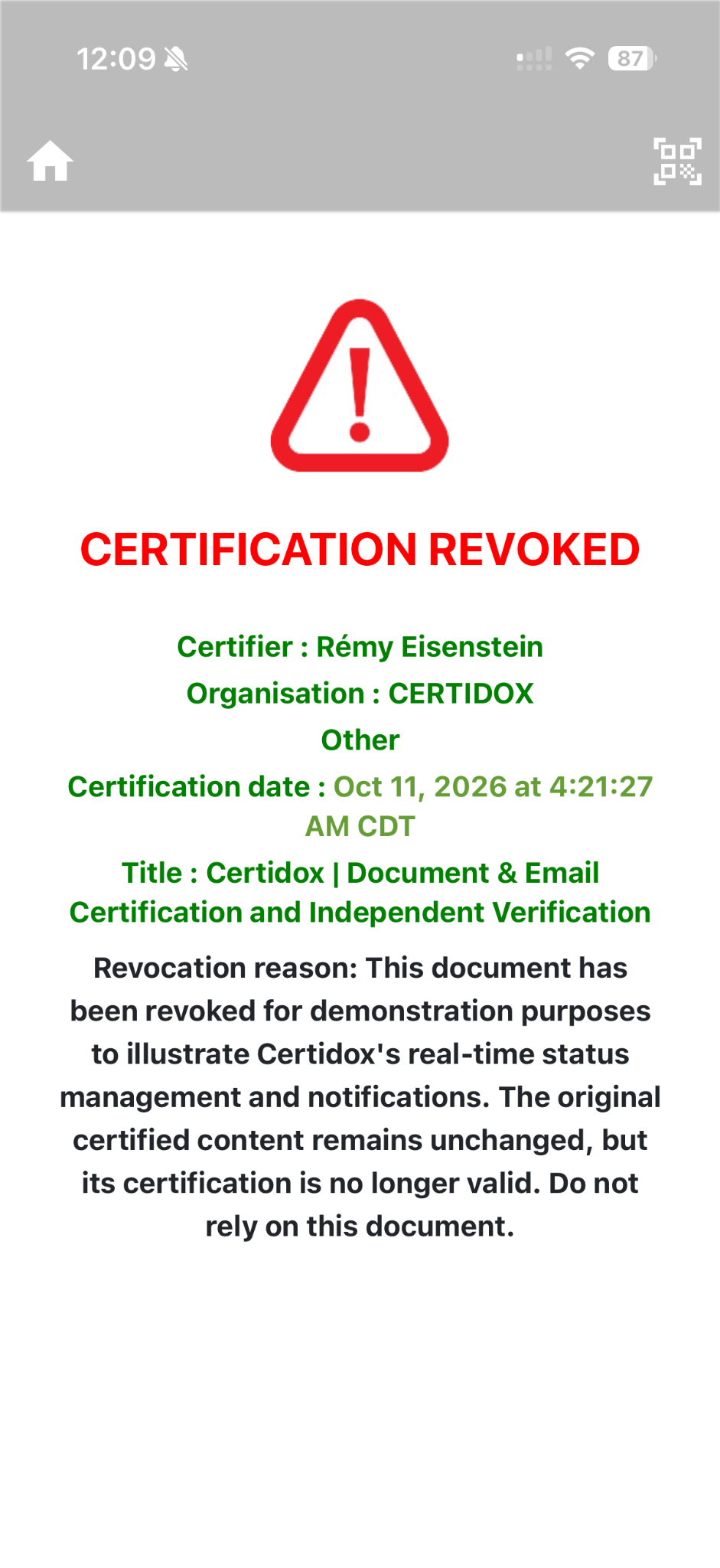
Recognize a revoked certification
The red screen illustrates the warning displayed when a certification has been revoked. A revocation can include a reason, and the recipient should not treat the former valid certification as still active.
The screenshot is a historical example, not a live determination of the downloadable sample's status. This page does not query Certidox for a current result.
Fixed content. Live status. Independent checks before relying on it.
Choose How to Verify
- Certidox mobile app: scan a certified QR code on iPhone, iPad, Android phone or tablet.
- Desktop camera: use a compatible computer with a camera to check the certification record.
- Integration: organizations can incorporate verification into workflows using Certidox integration interfaces. Confirm availability and requirements for your environment.
- Independent verification: use the evidence bundle to examine historical cryptographic integrity and timestamp information outside the mobile app or API.
Already looking at the QR code on your phone? On supported devices, you can touch and hold it and use the system share options to open it with Certidox.
Independent Verification Beyond the App
Certidox Independent Verification Bundles allow third parties to examine the certified content representation, SHA-256 integrity evidence and RFC 3161 timestamp information using independent cryptographic tools. A bundle enables checks of historical evidence without relying solely on the Certidox mobile application or its API.
Current certification status is a separate, live Certidox value. A previously downloaded evidence bundle does not automatically reflect later revocations or supersession.
Certidox is confidential by design. Certified content is encrypted at source; Certidox servers do not store readable certified documents or emails, or the decryption keys required to read them.
Frequently Asked Questions
How can I verify a Certidox-certified document?
Scan its Certidox QR code, check the recorded certifier, certification date and current status, then open the certified reference and compare it with the document you received.
How can I verify a Certidox-certified email?
Scan the QR code in the received email, check the recorded sender and recipient information, subject, certification time and current status, then compare the certified message reference with the email received.
Do I have to use the Certidox mobile app?
No. Certidox also supports computer-based verification, integration paths for automated checks, and Independent Verification Bundles for examining historical cryptographic evidence independently of the mobile app. A current certification status requires a live Certidox check.
Can printed documents and copies be verified?
Yes. Provided the QR code remains readable, recipients can access the certified reference and compare it with a printed or copied document. A paper copy is not expected to have the same byte-level hash as the digital PDF.
What happens if a certification is revoked?
A fresh live check can display the revoked status while the original certified content remains unchanged. Previous verifiers may receive notifications if the certifying organization chooses to alert them.
Can Certidox authenticate any QR code?
Only Certidox certification QR codes give access to a Certidox certification record. The app may also flag suspicious destinations in other QR codes, but this does not certify the contents or issuer of third-party codes.
Does a certified email prove delivery or reading?
No. Certification documents the recorded certification event and certified message information; it does not by itself prove sending, receipt, delivery or reading.
Can I verify certification evidence without Certidox software?
Independent Verification Bundles support independent cryptographic examination of the certified content representation, integrity hashes and timestamp evidence. They do not independently determine the current live certification status.
Verify with Certidox
Start with the original certified PDF, explore the verification process or request a demonstration for your organization.