CERTIDOX / HOW IT WORKS
How Certidox works
Certify. Share. Verify. Stay in control.
Certidox enables people to verify a document or email's recorded origin, exact certified content, certification date and current status before relying on it.
Scan a real certified documentCertify documents and outgoing emails
Create a verifiable reference before sharing information.
- Documents: certify a document manually or through an existing business application.
- Emails: certify outgoing messages automatically through the Certidox Mail Proxy Server.
- Daily work: employees can keep using familiar email tools, including Microsoft 365 and Google Workspace.
Certidox records the certifying party, exact certified content and certification date. The certification QR code provides access to that record.
A fixed certified reference. No change to your usual email workflow.
Instantly verify the document you received
Look beyond the logo, signature or familiar email address.
A recipient can examine who certified the information, what was certified, when it was recorded, and whether the certification is still valid. The recipient must also compare the certified reference with the document or message received.
Try it with a real certified PDF
Follow these three steps using the real two-page Certidox PDF and original app screenshots.
The screenshots are historical. For the current certification status, scan the document yourself in Certidox.
Step 1 of 3
Scan the QR code
Scan this QR code with the Certidox app to verify the document.
Don't have Certidox yet? Download the app for free before scanning. Available on the App Store or Google Play.
To scan a printed copy or inspect both pages:
Download the original PDFOn a smartphone or a tablet?
If the QR code is displayed on the same device, follow the steps below to open it with the Certidox app.
These screens illustrate the gestures only. For a real verification, use the QR code in the original certified PDF above, not the QR code pictured in the screenshots.
Apple
On an iPhone or iPad, touch and hold the QR code, tap Share..., then select the Certidox app.
Illustrative Apple interface based on the Certidox sample document. Menus can differ by device and app.
Android
On an Android phone or tablet, touch and hold the QR code, tap Share if needed, then select the Certidox app.
Illustrative Android interface based on the Certidox sample document, not tested on an Android device. Menus can differ by device, browser and Android version.
Step 2 of 3
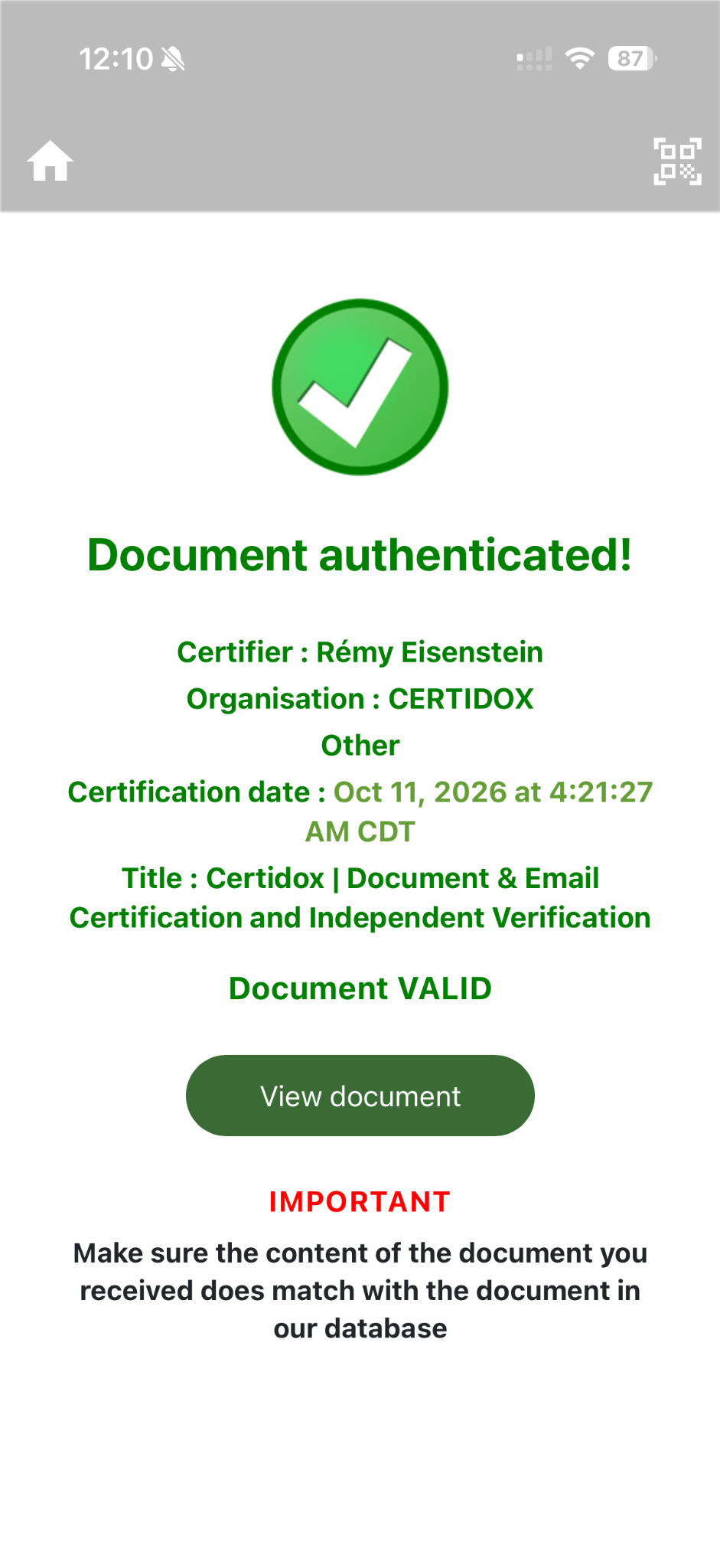
Check the verification result
Check the certifier, certification date and status displayed in the Certidox app.
Step 3 of 3
Compare the certified reference
Tap View document and compare the certified reference with both pages of the PDF you received.
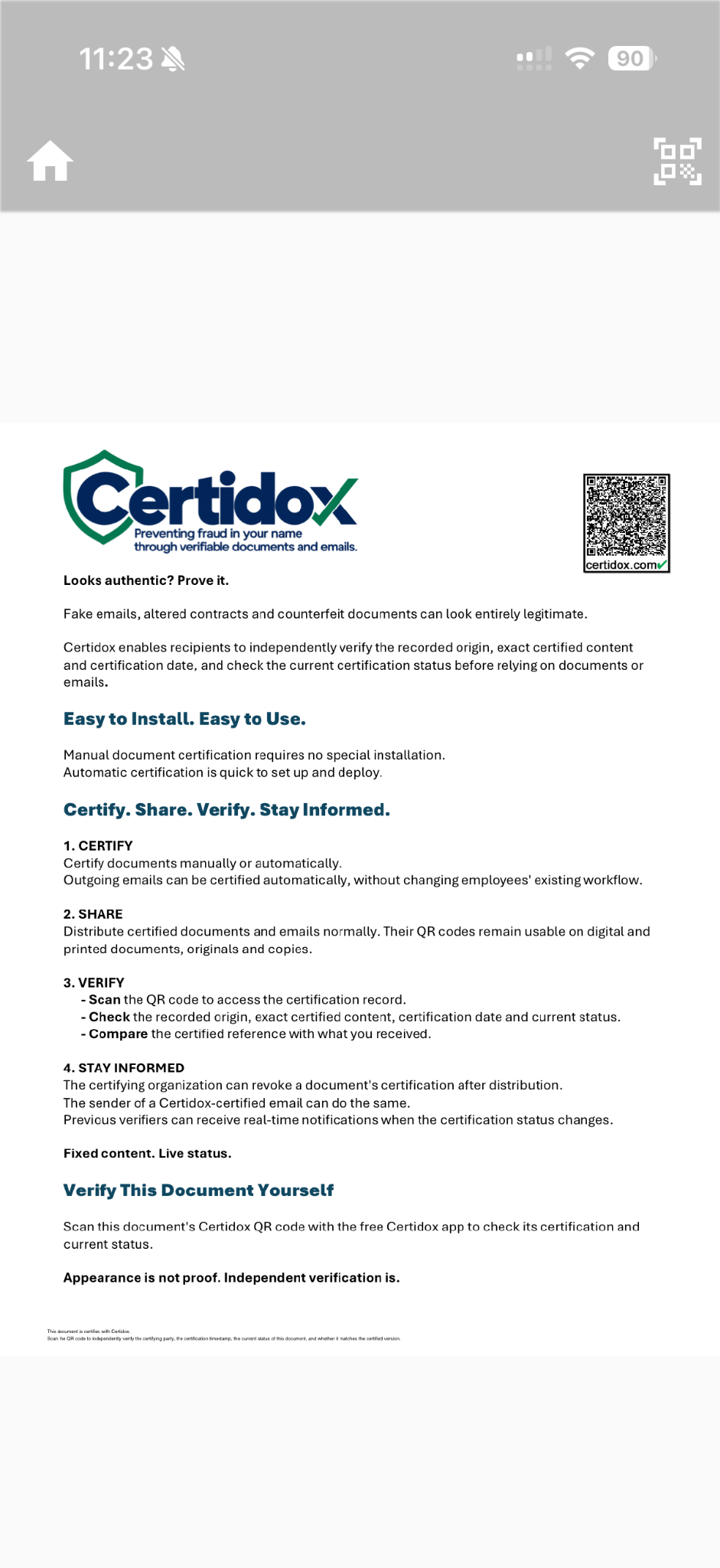
Always verify the live status and compare the content before relying on a document.
Keep control of your document after sending it
The certified content remains unchanged after distribution, but its certification status remains under the issuer’s control. An authorized certifier can revoke or supersede a certification when needed, even if copies of the document are already in circulation.
- Recipients can check the document’s current certification status whenever they scan its Certidox QR code.
- Anyone who previously verified the document and subscribed to its alerts can receive a real-time notification if the certification status changes.
- Revoking a certified email does not recall or delete the delivered message.
This capability is explained separately from the valid demonstration PDF above. No revoked screenshot is presented as belonging to that document.
Check the evidence independently
In the event of a dispute, independently examine the historical evidence of what was certified and when.
Certidox provides an Independent Verification Bundle that allows technical reviewers to examine historical certification evidence with independent cryptographic tools.
Download the certified PDF and the accompanying evidence package. A technical reviewer can use them to check independently that the certified file corresponds to the recorded evidence. The bundle contains historical proof; it does not replace a live status check.
Download the actual files:
The evidence ZIP includes the key needed to reconstruct the certified content. Treat it as sensitive whenever you use it with confidential documents.
The sample bundle contains an encrypted payload, a reading key, a certification manifest, an RFC 3161 timestamp response, and verification scripts.
- Decrypt the payload to reconstruct the certified PDF.
- Compare the PDF's SHA-256 fingerprint with
payload_sha256inmanifest.json. - Compare the SHA-256 of the exact manifest bytes with the RFC 3161 timestamp response's message imprint.
- Validate the timestamp response and the issuing authority's certificate chain using trusted certificates.
SHA-256 fingerprint of this sample PDF:
9285962c6750c029eaf95bb20606a8e877a4884eb979460c59caa7d3607bd42e
The timestamp imprint comparison alone is not a complete validation of the trust chain. This bundle provides historical evidence; current status is a separate live check.
Related context: ABA Resolutions 503 and 604 and independent verification. Certidox is not an apostille service, and these resolutions are not an ABA endorsement of Certidox.
Confidential by design
Your confidential documents and emails are encrypted before they reach Certidox servers.
- Documents are encrypted on the certifier's computer.
- Outgoing emails are encrypted by the Certidox Mail Proxy Server within the organization.
- Certidox servers store neither readable certified content nor decryption keys.
Frequently asked questions
Can printed documents and copies be verified?
Yes. Scan the QR code and compare the certified reference with the printed or copied document you received.
Can I verify without the mobile app?
Certidox also supports desktop verification and API-based checks where integrated.
Does Certidox guarantee that a document is true?
No. Certidox provides evidence of recorded certification information, exact certified content and status. It does not guarantee factual accuracy or legal validity.
Does the bundle show the current status?
No. The bundle supports independent checks of historical evidence. Check the current certification status live through Certidox mobile app or API.
Does certified email prove delivery or reading?
No. The certification record does not by itself prove that an email was delivered, received or read.
See Certidox in action
See how automatic certification and independent verification fit into your organization's existing workflows.
Book a demo