Non-Certidox QR code
Question: Where could this link take me, and does the destination show warning signs?
The app may display the URL and assess potential risks.
No Certidox origin, content or live certification-status proof.NON-CERTIDOX QR CODE ANALYSIS
Check where it leads with Certidox before you trust it.
A fake court notice can look official while its QR code leads to a phishing or fraudulent payment website. Your phone’s Camera app can open that link without checking whether it is trustworthy.
A QR code is not a security seal. It may contain a web address, and that address can point to a fake payment page, a phishing form or another unsafe destination. A convincing logo, a signature or an official-looking letterhead does not make the link safe.
Certidox lets you check the QR destination before opening the link. The app can display the URL and flag potential risks. This is a safety check, not a guarantee that a website is safe or that a third-party document is authentic.
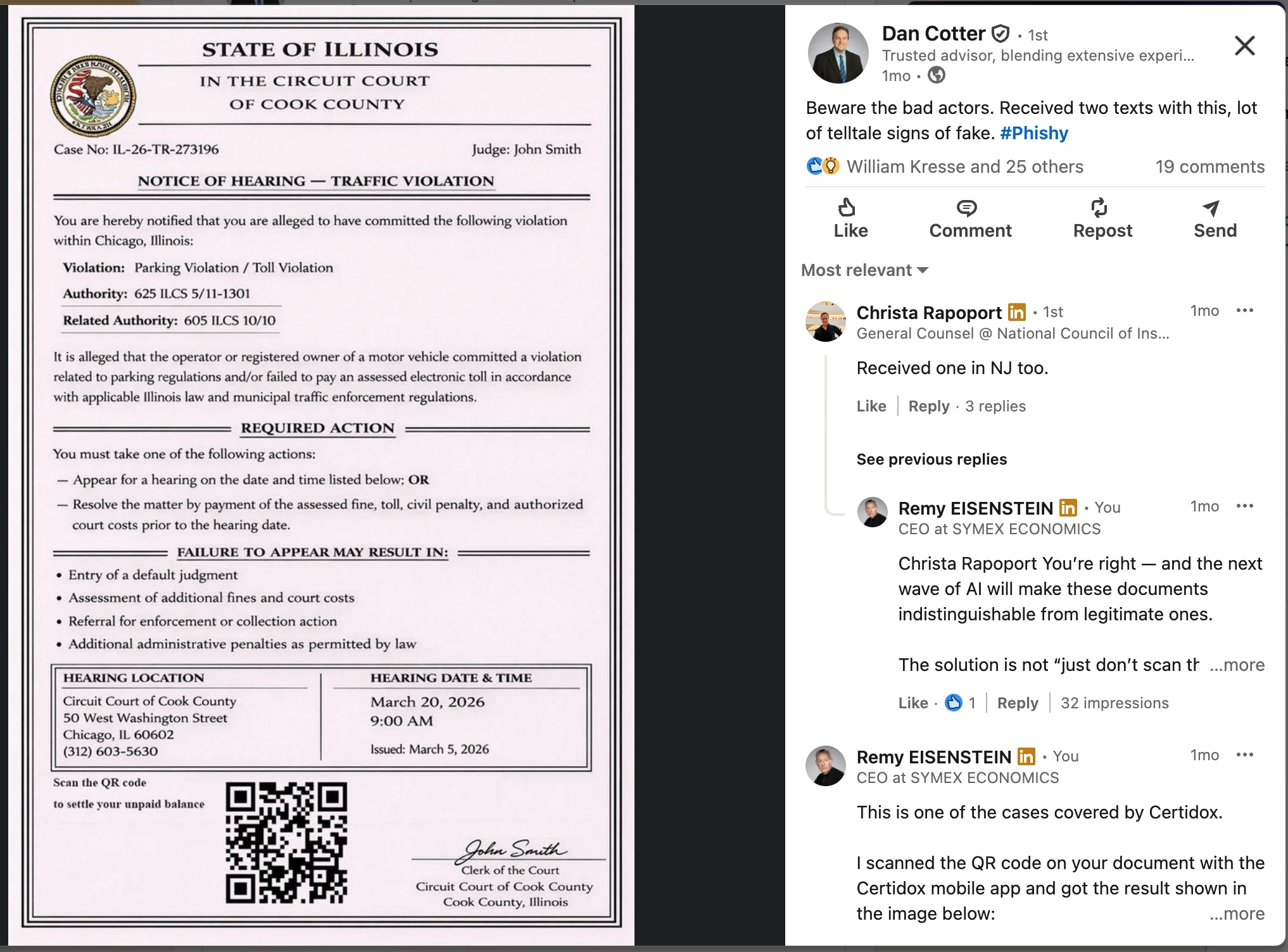
The purported Illinois court notice in this LinkedIn post includes a QR code next to a request to settle an unpaid balance. Its court heading, seal and signature are designed to look official. The QR code is the danger.
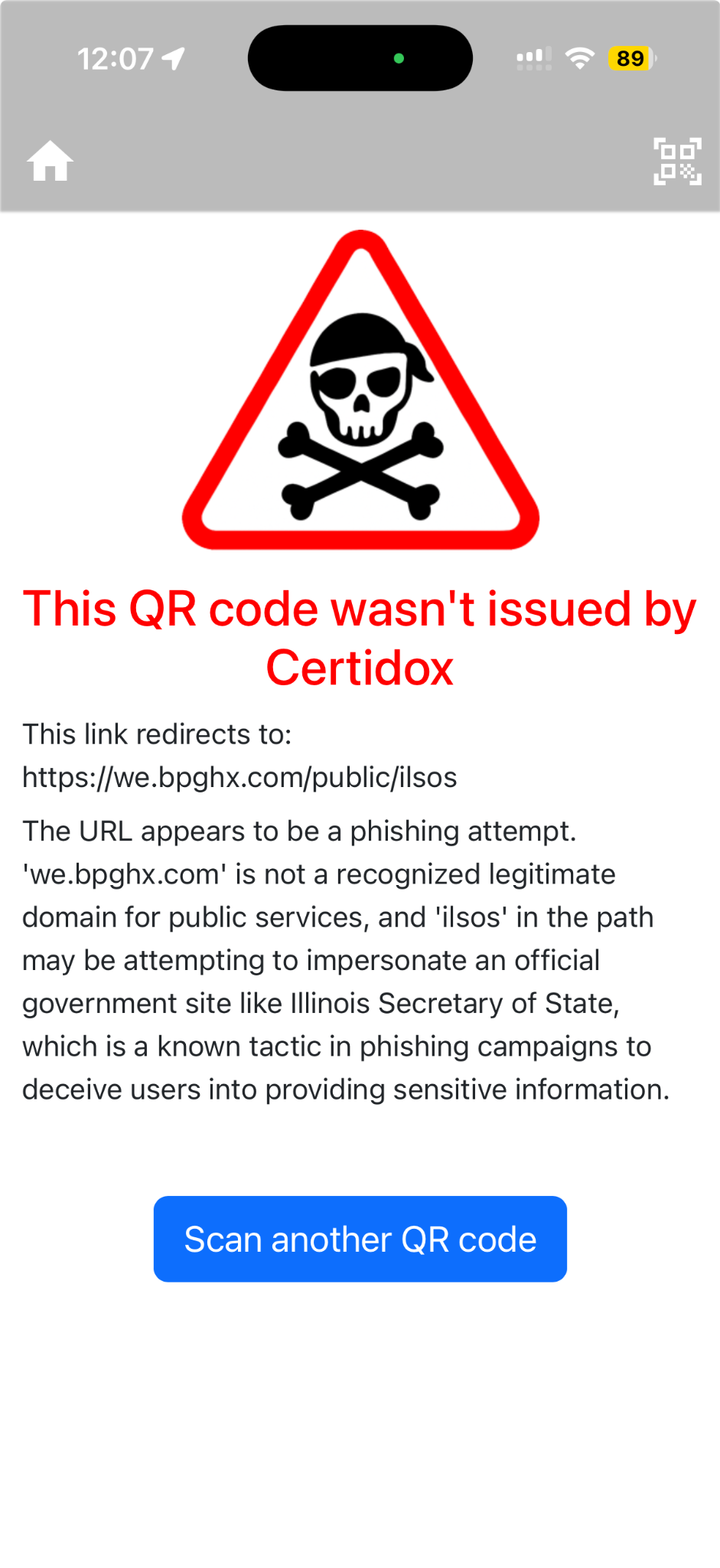
The actual Certidox scan shown here found no Certidox certification and warned that the destination appeared to be a phishing attempt.
The supplied DeKalb County Business Registration Affidavit contains a QR code linking to information about a municipal ordinance. Its link is not a Certidox certification code.
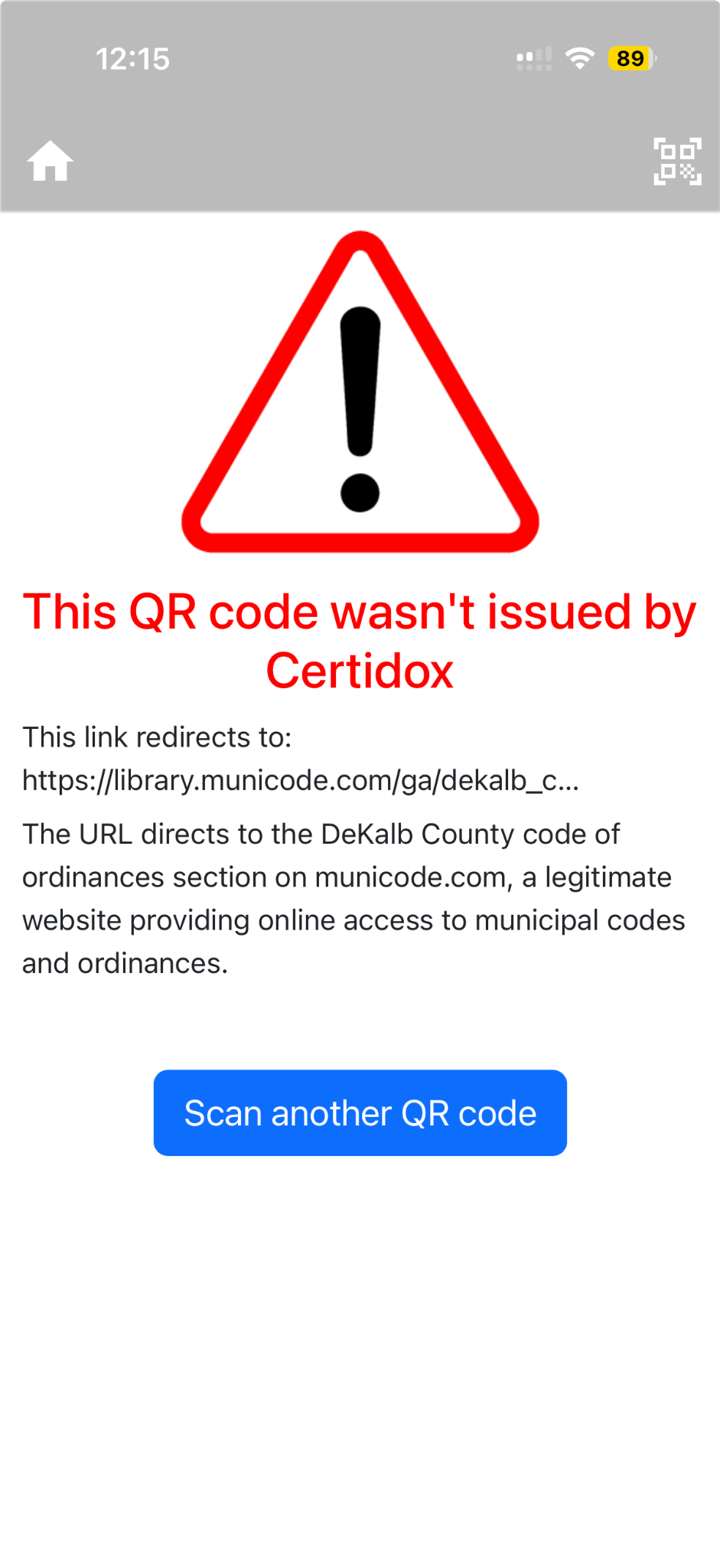
In this scan, Certidox described the destination as a legitimate municipal-code website. That is an assessment of the link, not proof that the document was officially issued or that the website will always remain safe.
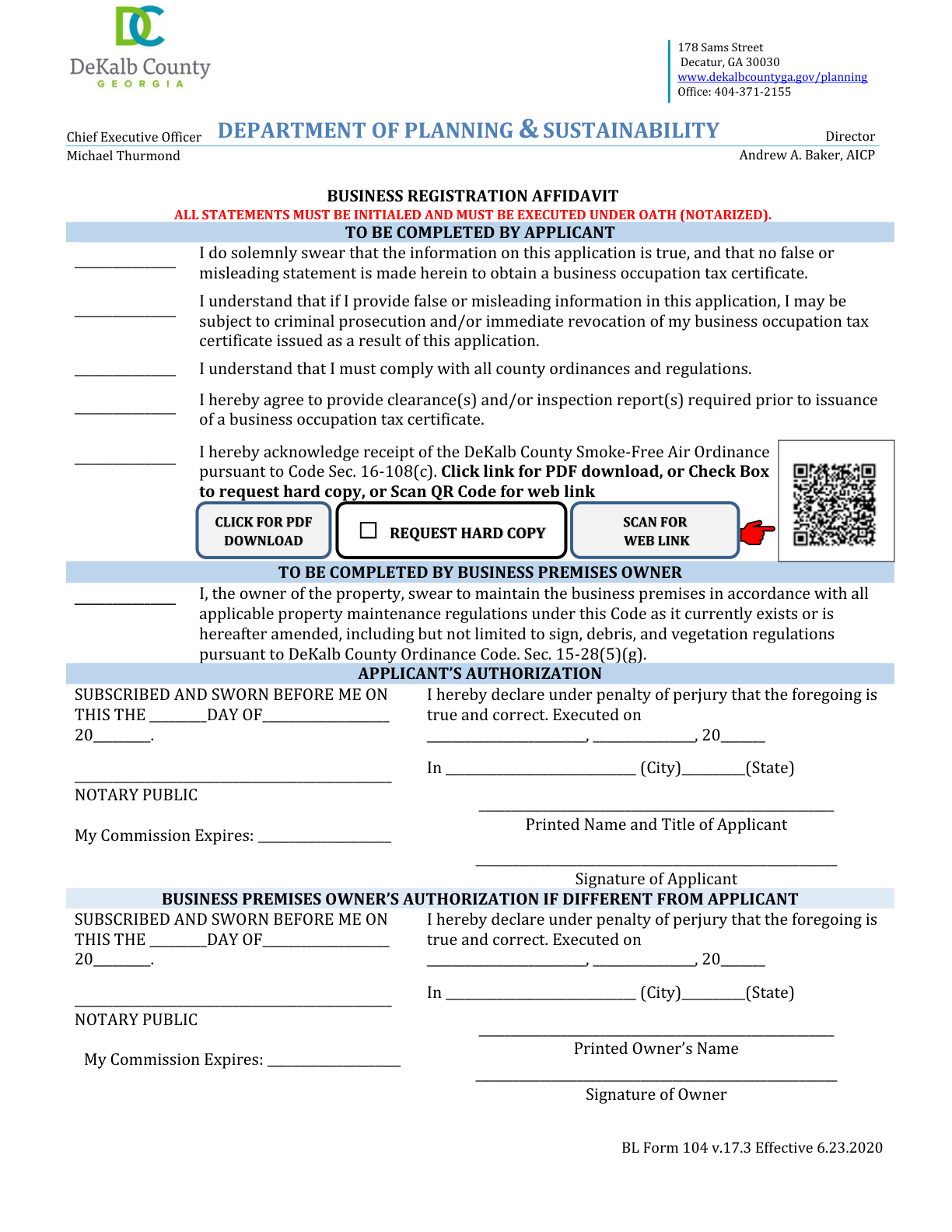
The PDF was supplied for illustration; it has not been independently authenticated as an official current government document.
The screen examples illustrate the app's displayed assessments at the time of capture. Destination content and risk can change later.
Question: Where could this link take me, and does the destination show warning signs?
The app may display the URL and assess potential risks.
No Certidox origin, content or live certification-status proof.Question: Who certified this exact content, when, and what is its current status?
Recipients can verify the recorded certifier, exact certified content, date and status, then compare the certified reference with what they received.
Certification evidence does not guarantee the underlying statements are factually true.Both uses belong to the same principle: verify before relying on it. But checking a destination and verifying a certified document answer different questions.
A phone's Camera app may offer to open a QR code destination without assessing whether the website is trustworthy. Use Certidox to inspect the link and any potential risk indicators before deciding whether to visit it.
No. It means the scanned QR code does not provide a Certidox certification record. It may lead to a legitimate website, a suspicious destination or something else.
The app can display the destination URL and identify potential risk indicators for some non-Certidox QR codes. A warning is an assessment, not proof that a particular website is malicious.
No. A favorable link assessment is not proof of who issued the document, the accuracy of its contents or the safety of the website in the future.
Do not open the link or enter information if the request is unexpected or suspicious. Contact the alleged organization using a telephone number or website obtained independently from a trusted source.
Yes. The DeKalb County example points to a municipal-ordinances website, which the displayed Certidox result describes as legitimate. That assessment does not certify the underlying form.
No. Websites, redirects and threats can change. Use the analysis as a precaution, and independently assess requests involving money, credentials or sensitive data.
A Certidox certification QR code provides access to a certification record. Recipients can check the recorded certifier, exact certified content, certification date and current status, then compare the certified reference with what they received.
Use Certidox to inspect QR codes before opening their destinations. If a document is Certidox-certified, check its recorded origin, exact content, date and current status before relying on it.
The two app results are historical screenshots. QR destination risk can change. Neither authority shown here endorses Certidox; link analysis does not certify third-party documents.